
Product
Company OKRs, and the gaps, in one place.
See who has written objectives, who has not, and how work aligns — visible to every teammate — so execution matches intent. Keep the tools you already use.
How you start
Four steps. The setup wizard walks the rest.
You do not have to migrate Jira, docs, or personal task lists. Start with people, a cycle, and company OKRs. You will see who has written OKRs and who has not — right away.
Create the company
Open an organization and invite people, paste any CSV — columns mapped free — or sync ChartHop. Members set their own manager after claiming. No credit card.
Open a cycle
The setup wizard teaches radical transparency and walks Vision, Mission, and a first company OKR.
Write commitments in the open
Objectives and key results are readable by every authenticated member as soon as they exist.
See who still has a gap
The People directory shows Has, Missing, Draft, and Pending. Empty stays obvious so the company can fix it.
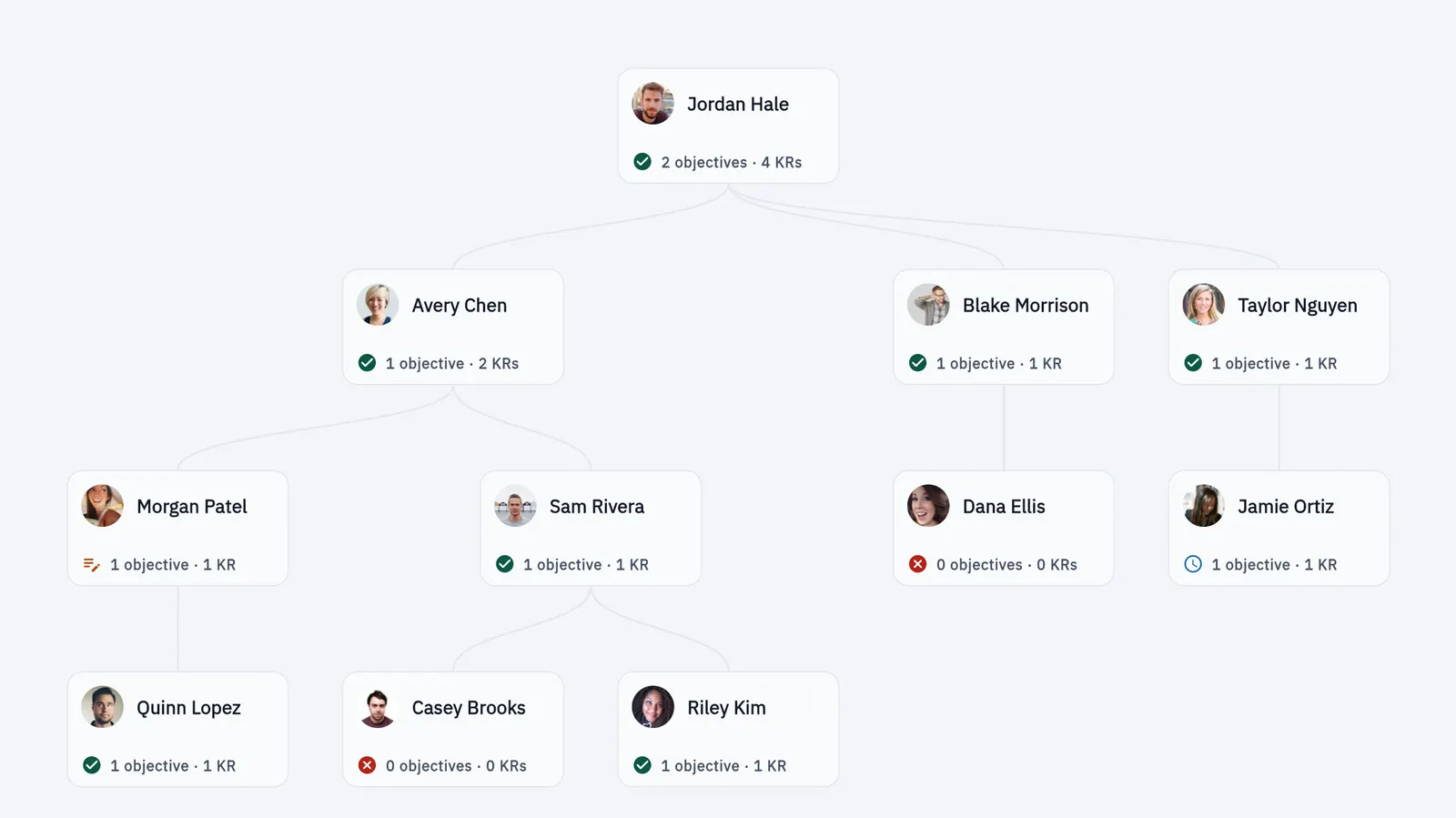
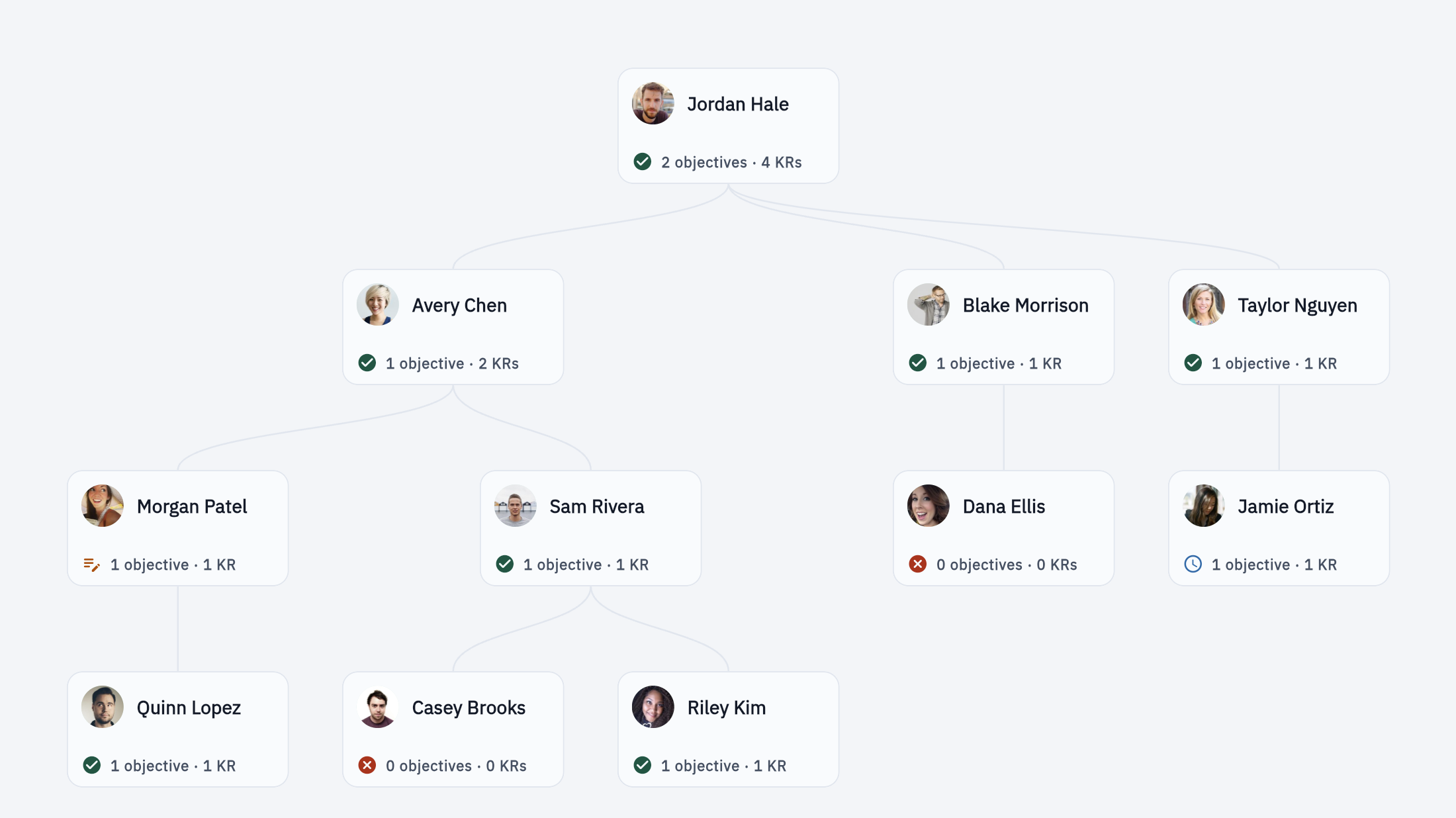
See the status of every person's OKRs
The People directory shows Has, Missing, Draft, and Pending for the whole company, including people who have not written any. Empty coverage stays on screen.
Every teammate can read every objective
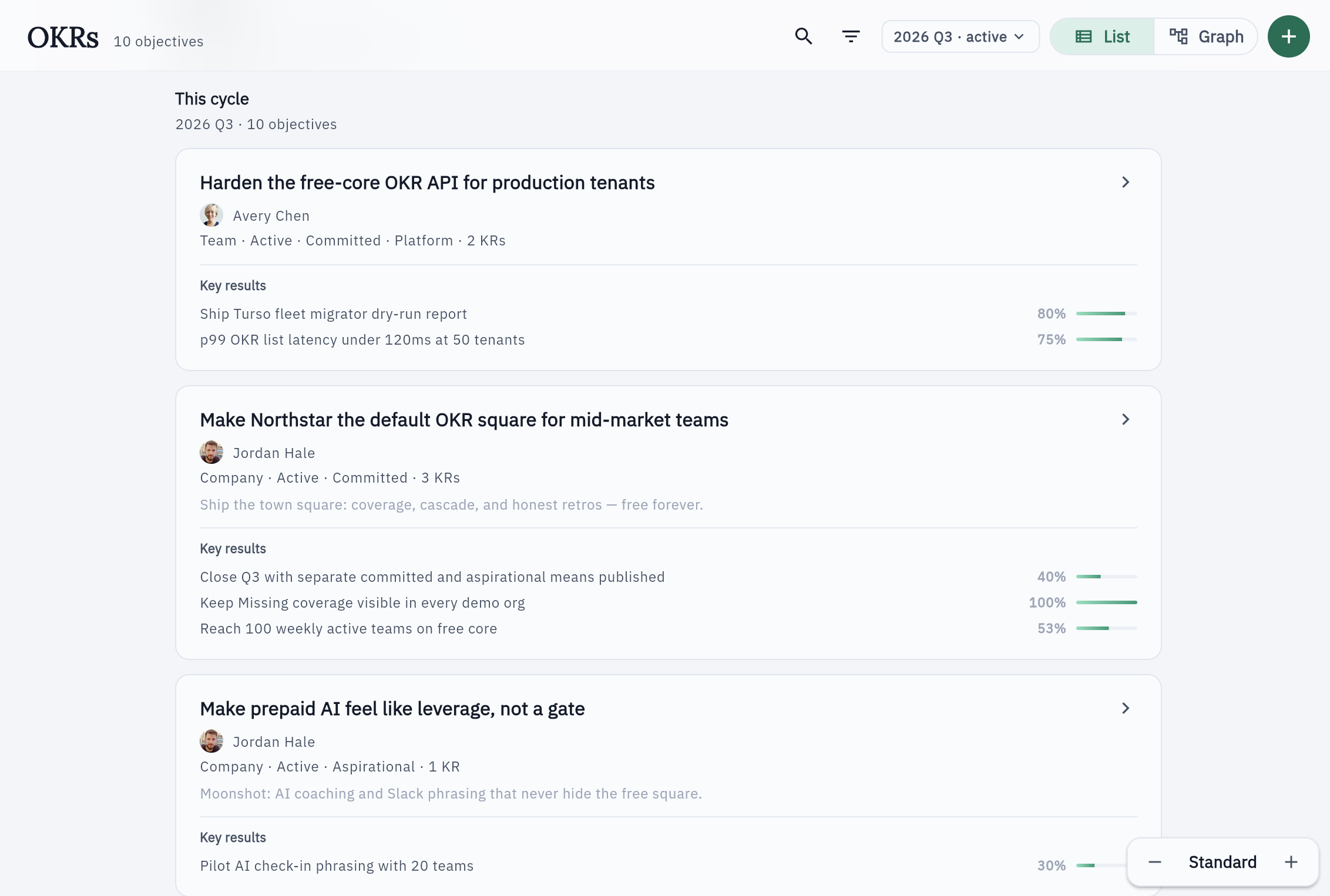
Company, team, and individual objectives and key results are visible to every authenticated member — free forever. Contributors and Watchers show involvement; they do not replace an owner or hide a gap.
Objectives line up to the company
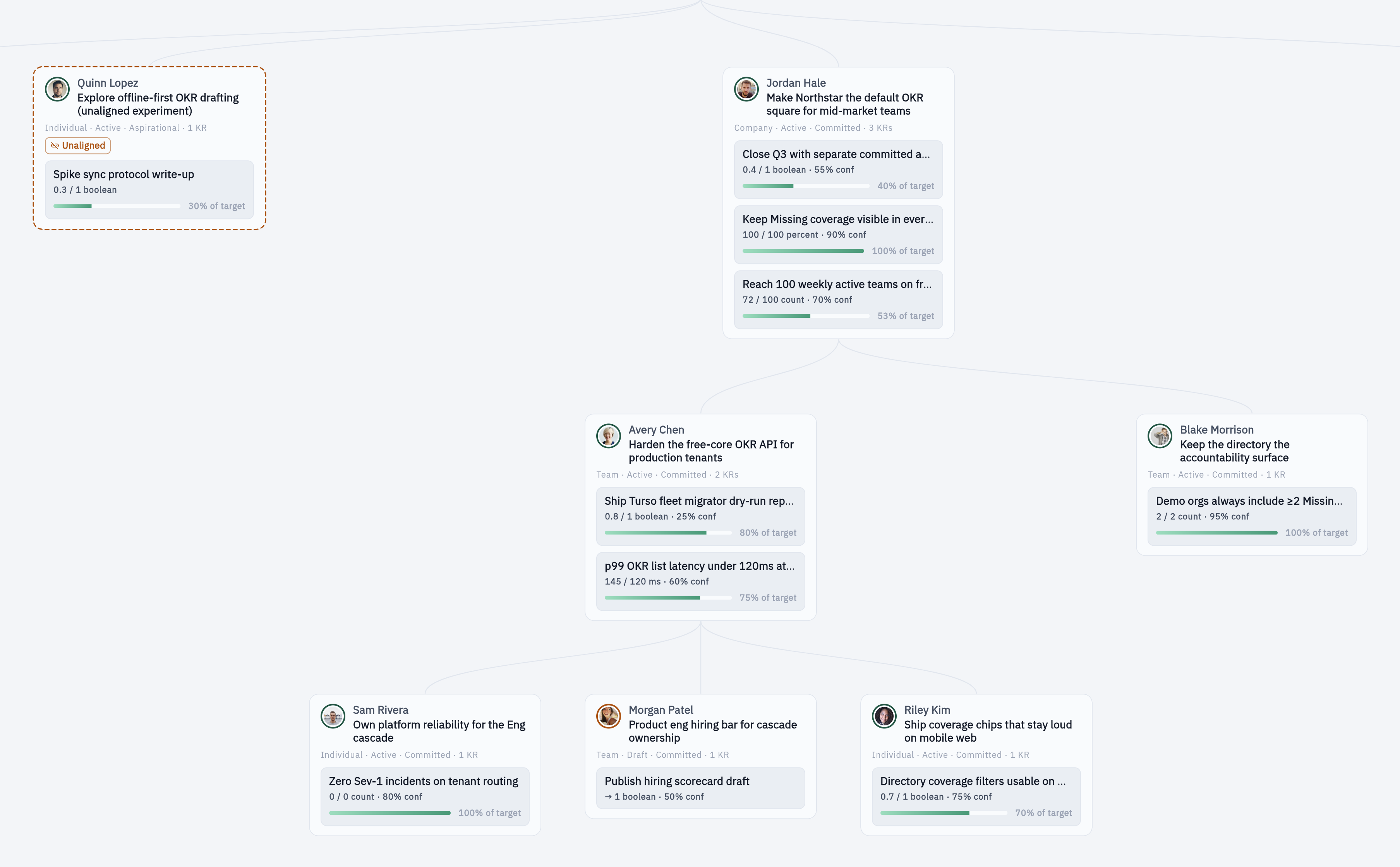
Vision, Mission, and long-horizon aims sit above the cascade, and each objective can link to the company objective it supports. Work with no link stays visible as Unaligned, so the gap is obvious. Links show alignment only — a parent never inherits its score from children.
Check-ins and the company feed
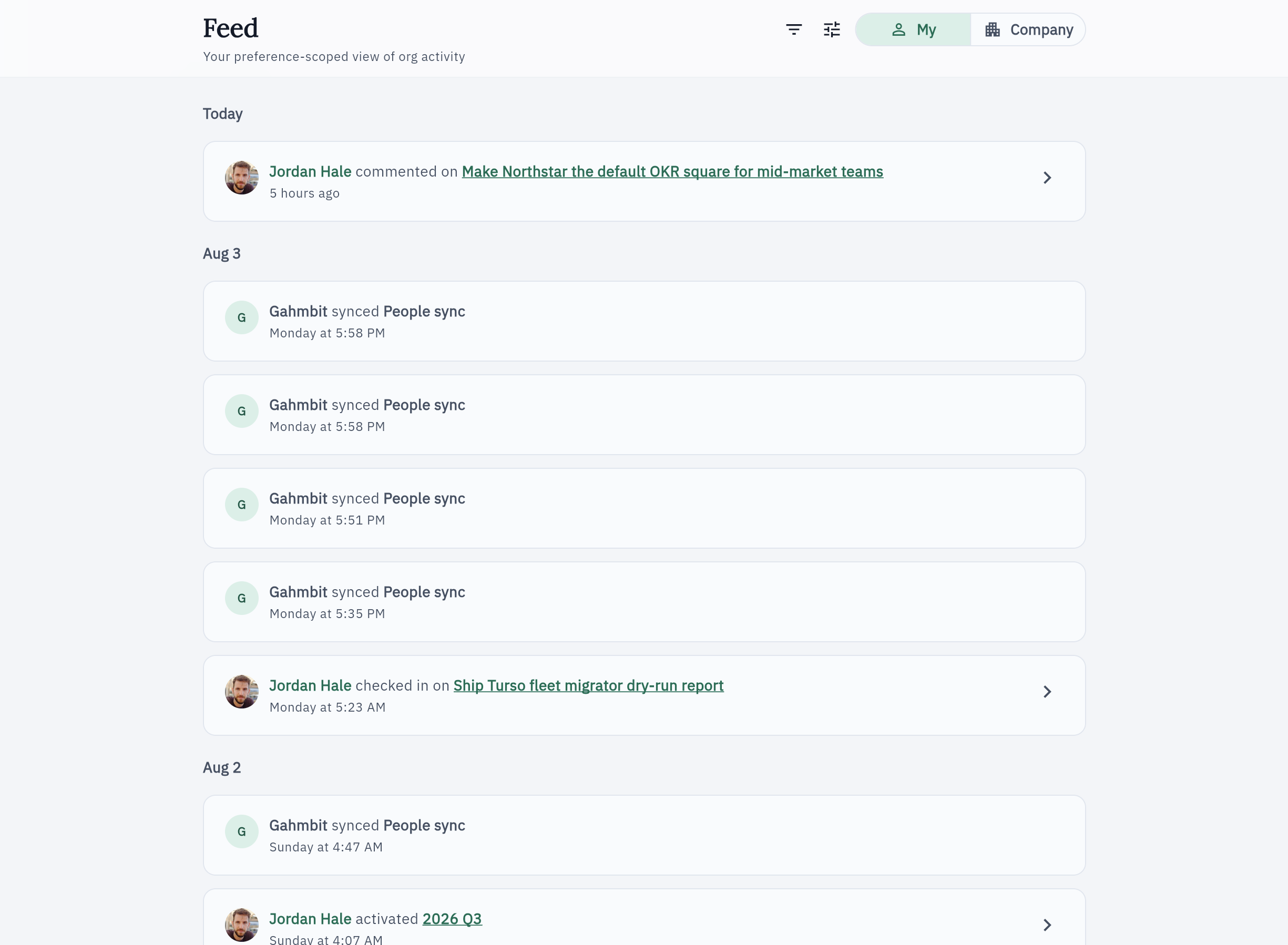
Progress timelines and org-wide check-ins, completions, and cycle events live in one place. “My” is a personal filter — it does not hide events from peers.
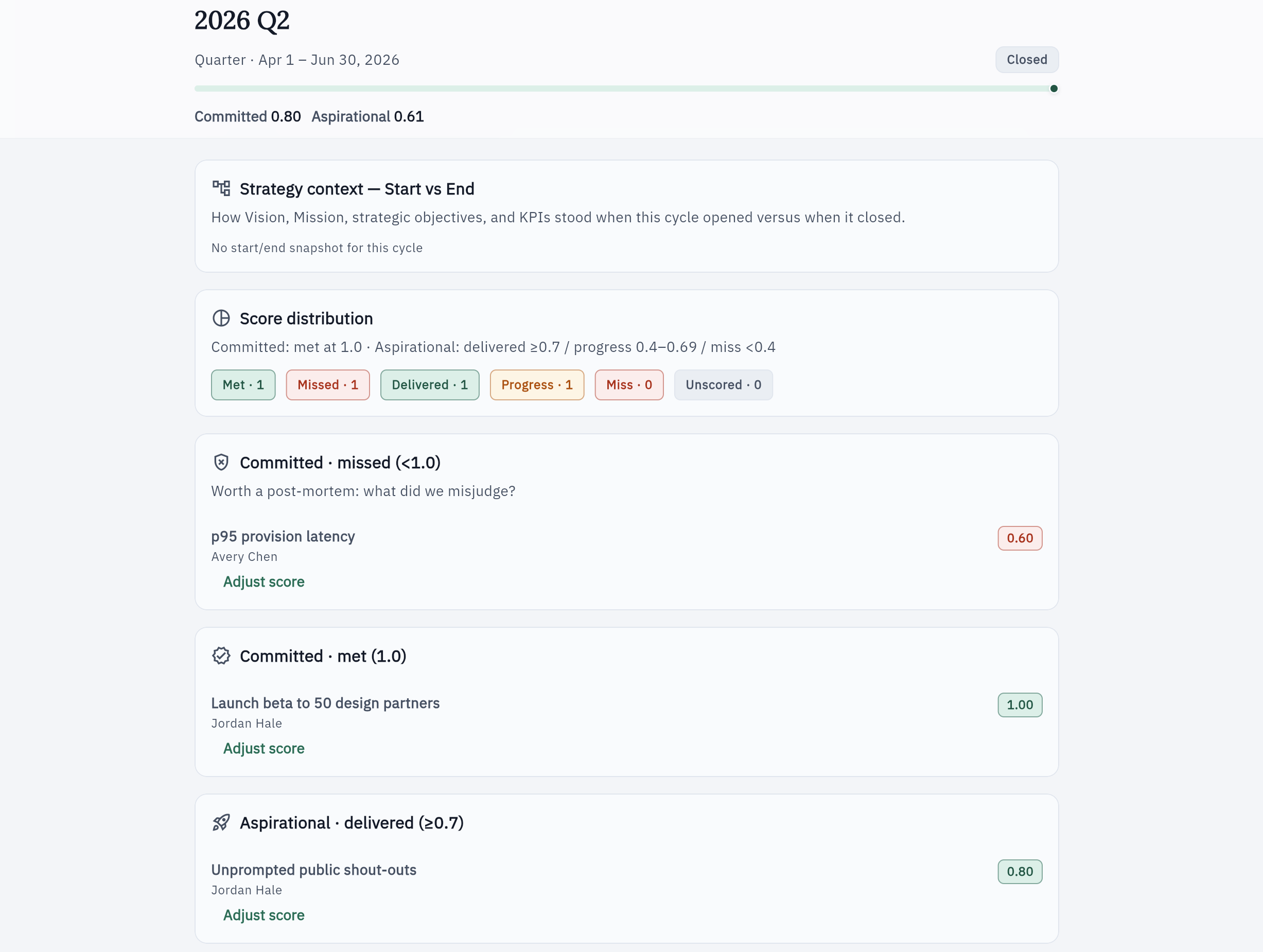
Committed and aspirational, scored separately
Retrospectives report two means against two bars — never one blended score — plus Strategy Start vs End for Vision, Mission, strategic objectives, and KPIs.
Also in the free core
Teams, meetings, KPIs, and first-cycle guidance
The five beats above are the loop. Everything here stays free. When someone has no OKRs, or a team has none, that gap stays on the page.
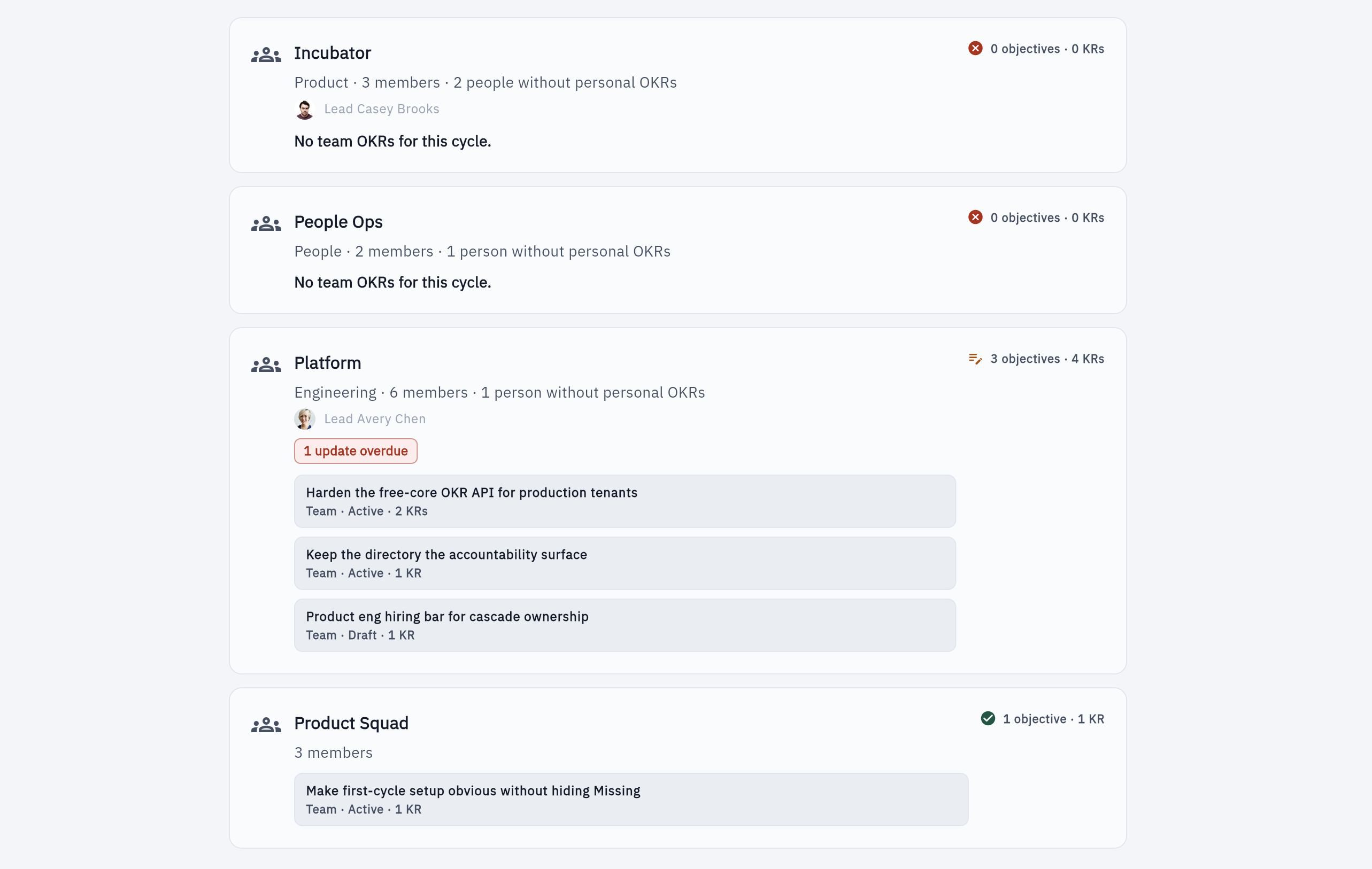
Teams group work, in the open
Optional Teams show which group a team objective belongs to, and they list teams that have no team OKRs yet. A team is not a private space and never gets its own score.
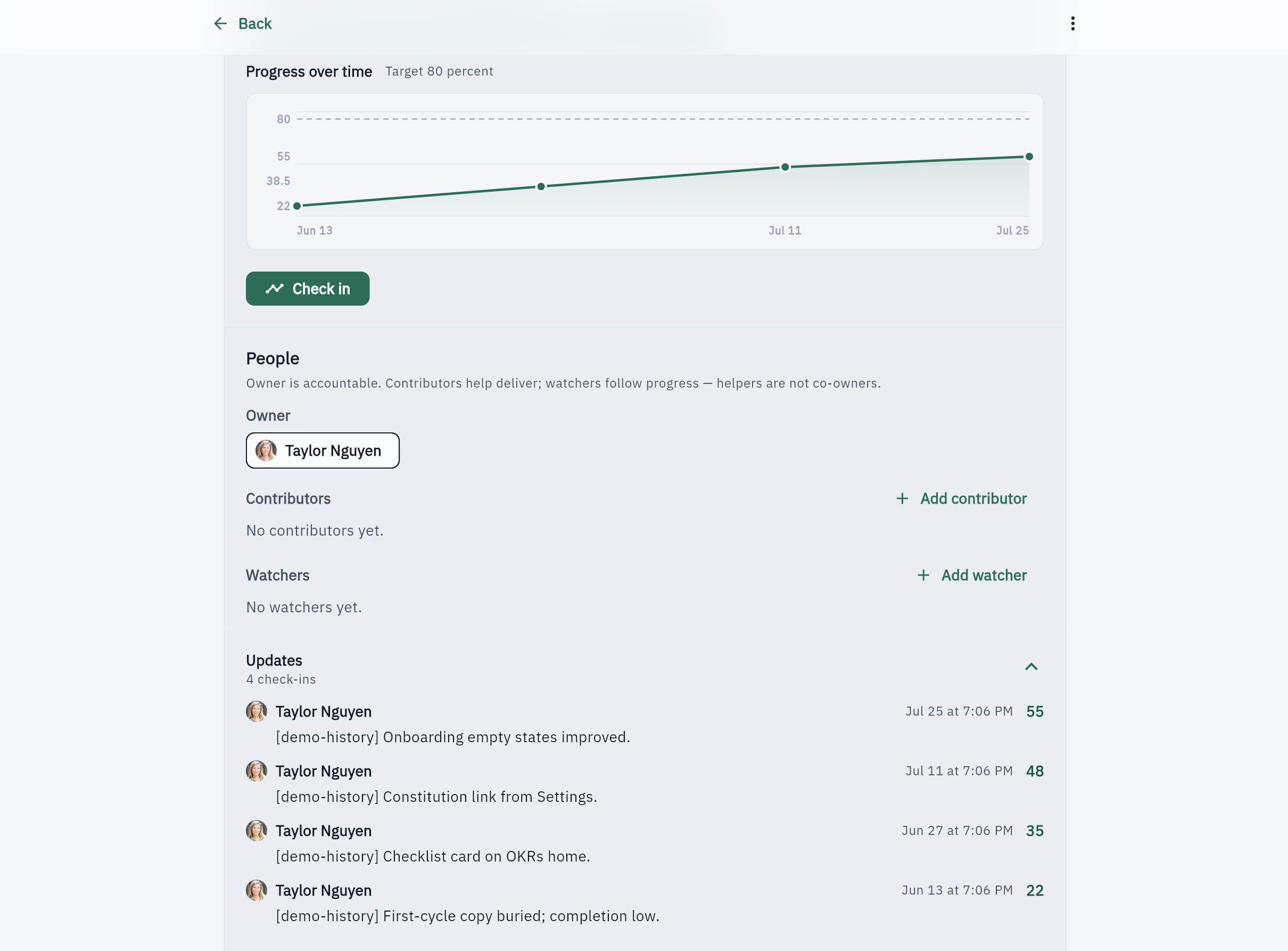
Check-ins the whole company can see
Progress is a timeline on the objective, visible to every member. It does not live only in a private 1:1.
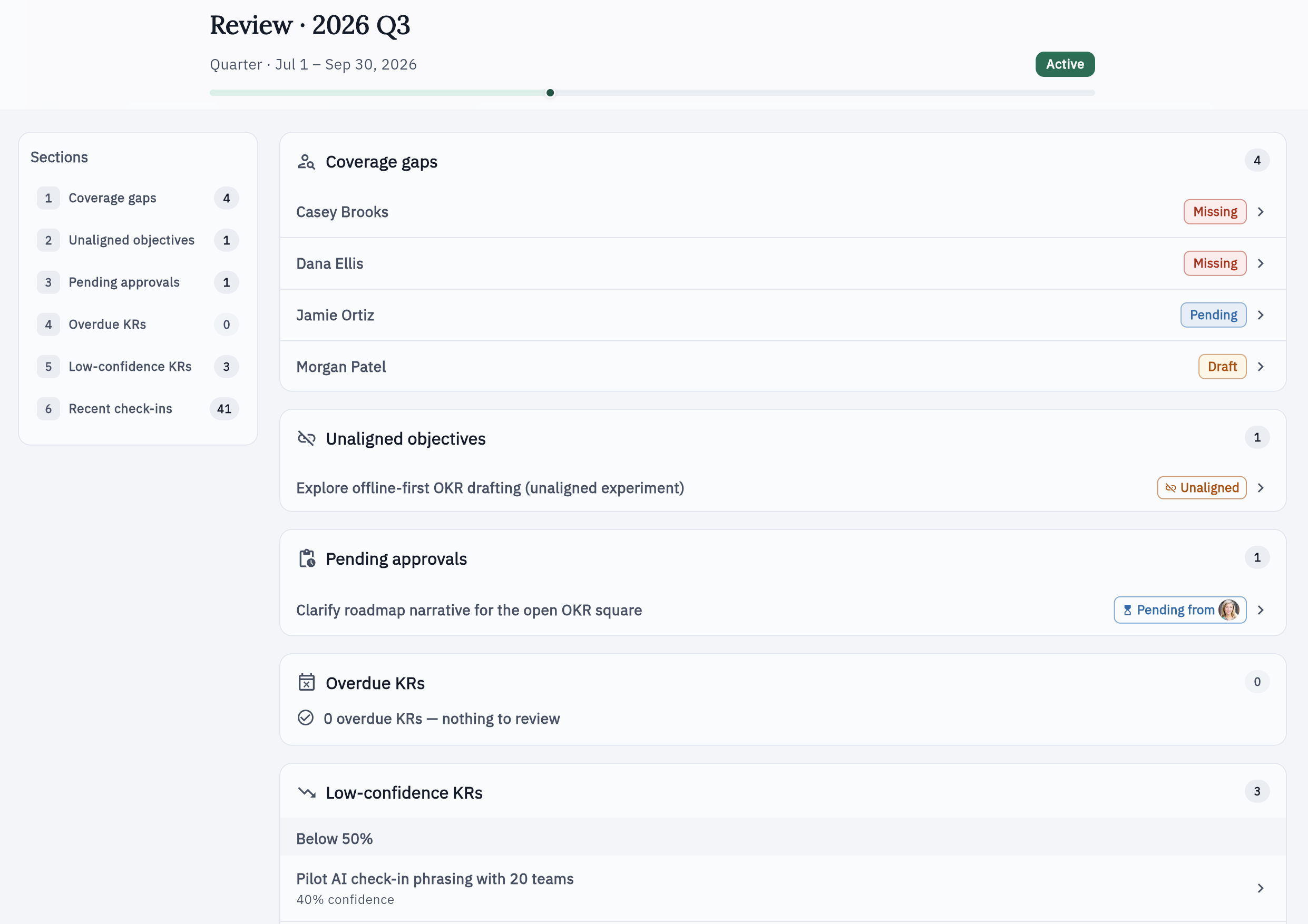
A biweekly agenda, not theater
Meeting mode walks open pledges and coverage in a deterministic agenda — the same picture everyone already has.
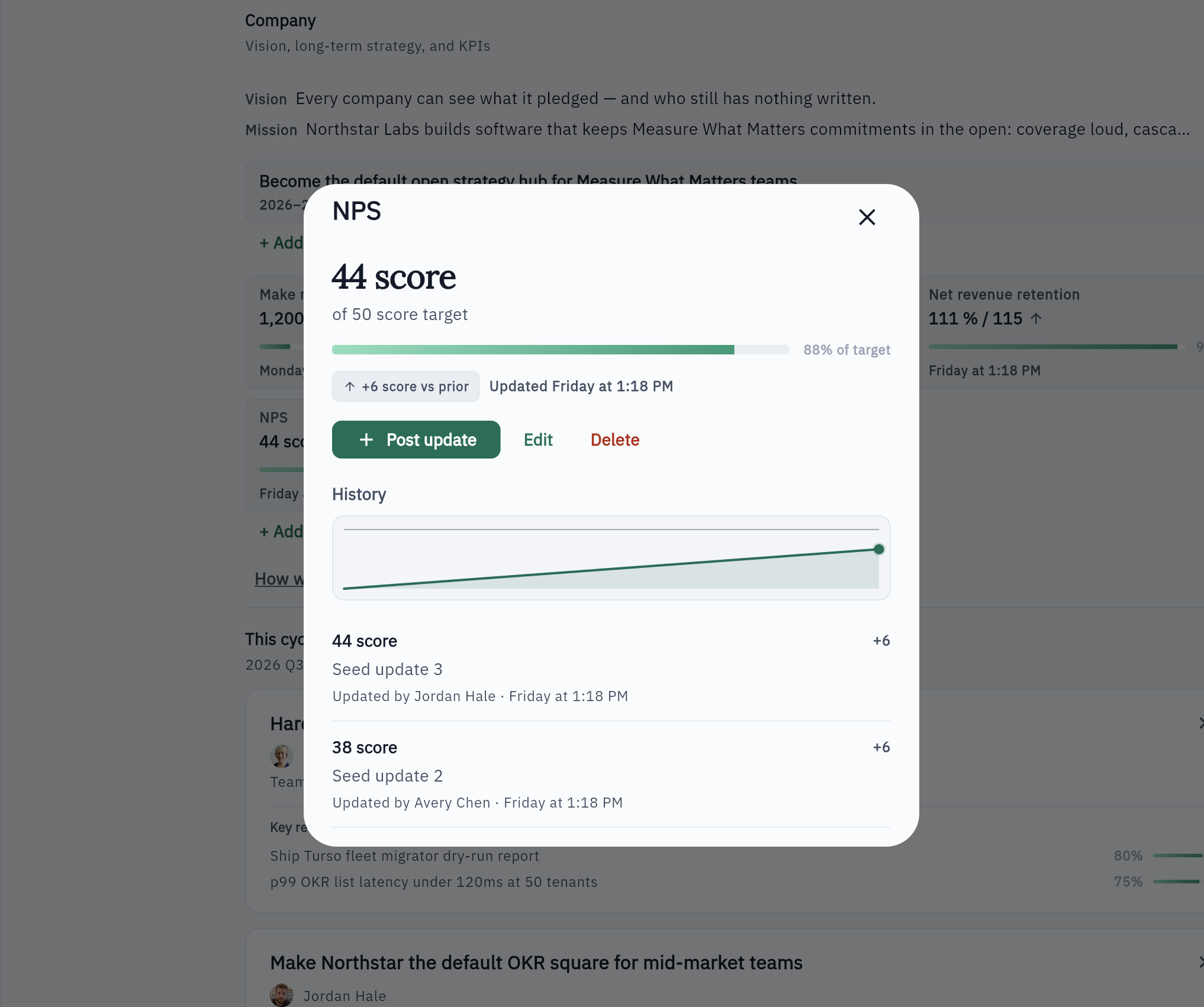
North-Star KPIs beside OKRs
Standing company metrics sit with strategy. A key result can cite a KPI for context — never as a score roll-up.
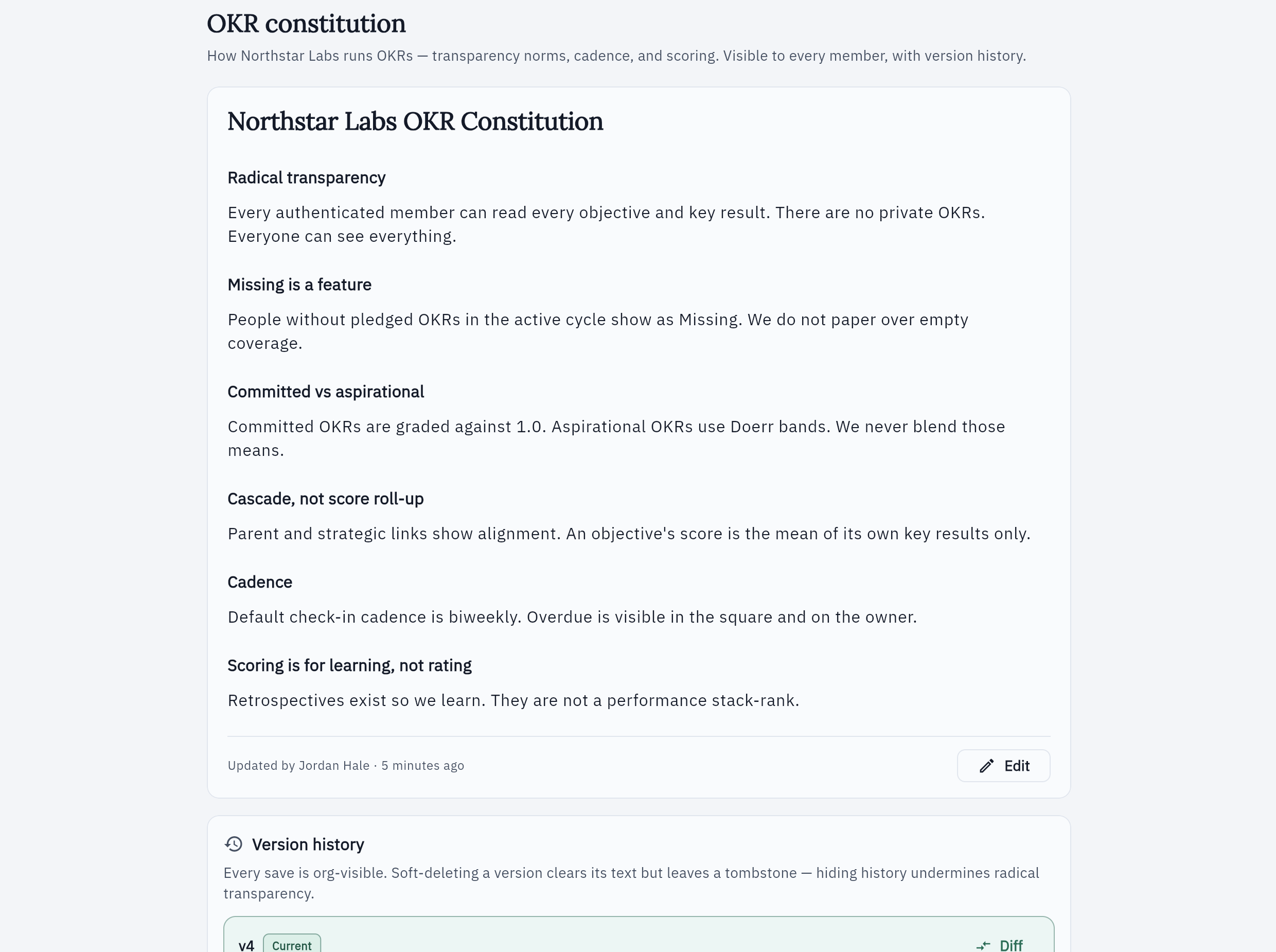
Wizard, constitution, and checklist
Create opens a setup wizard. Joiners get a skippable tour. The constitution and first-cycle checklist teach the method without hiding Missing.
Slack · when enabled
Bring coverage and scoreboards into Slack
Connect a workspace once. Template digests and shout-outs stay free. Optional canvases and overlap detection use prepaid org credits — never a gate for OKRs.
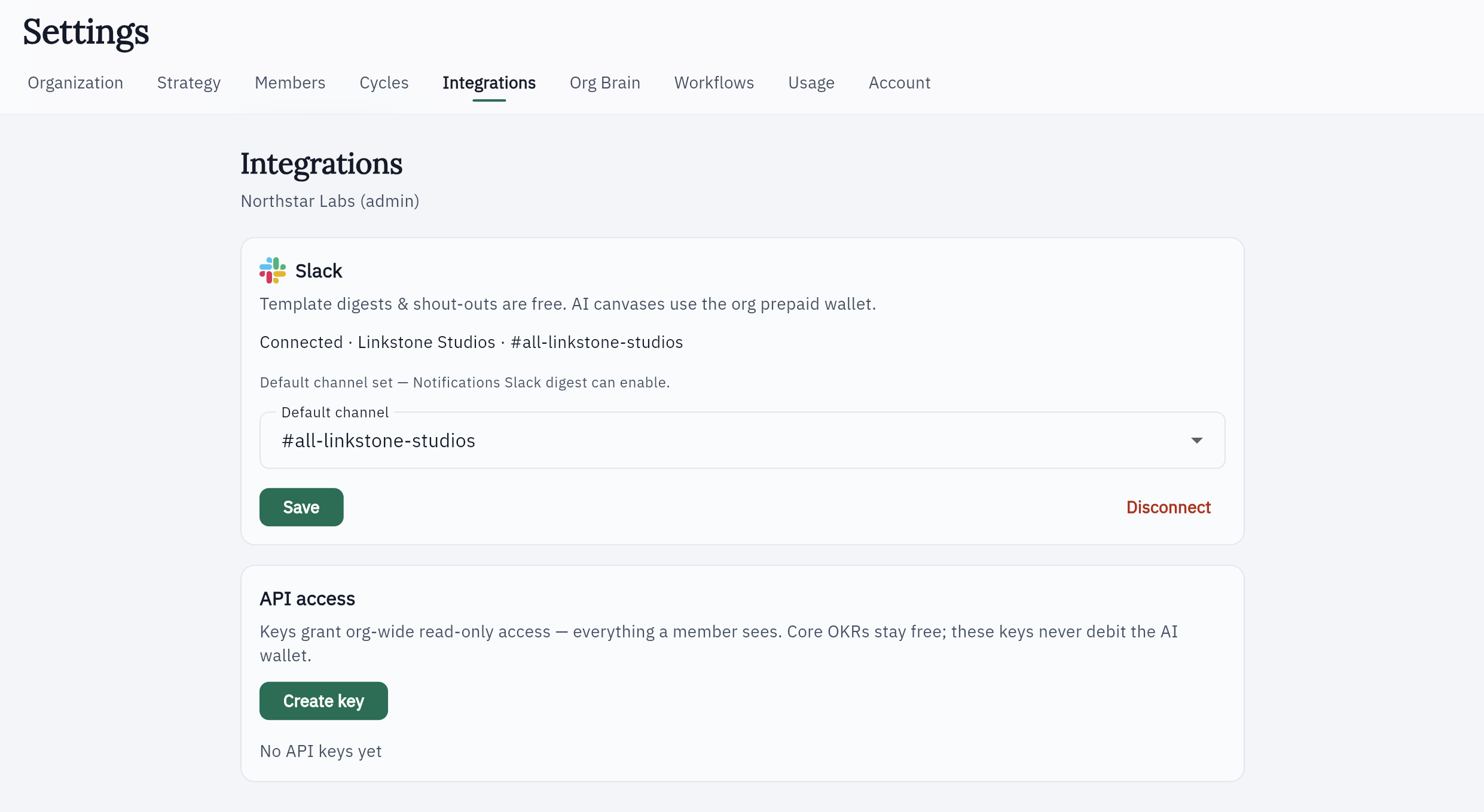
Connect Slack, pick a default channel
Org admins connect the workspace, choose a channel where Gahmbit is a member, and Save. Status reads Connected · workspace · #channel. Disconnect stops posts; in-app OKRs and the AI wallet stay unchanged.
Template scoreboard digests on your cadence
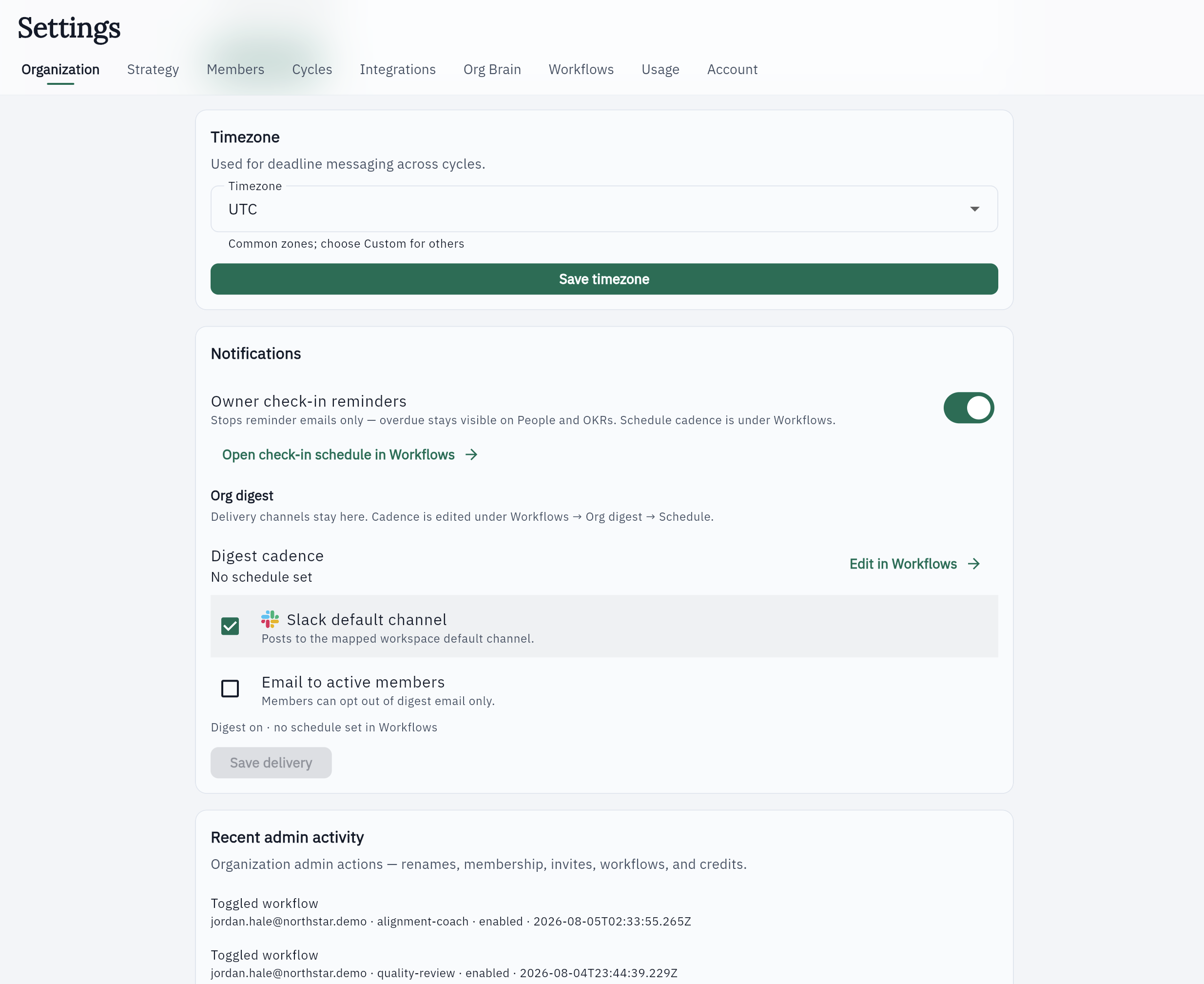
Weekly, biweekly, or monthly org digests post to the default Slack channel and/or email. Turning digest off is a delivery preference only — coverage and overdue stay visible in Gahmbit. Channel posts use aggregate counts, not named overdue callouts.
When two objectives overlap, start the conversation
At the start of a cycle, Gahmbit can notice objectives and key results aimed at the same outcome and open a Slack thread with both owners — for example, two teams trying to grow the same channel. The thread is visible to the people in it. Finding the overlap uses prepaid credits. Writing OKRs stays free either way.
Workflows that reach Slack
Enablement is free. Runs that call the model use prepaid org credits. People, OKRs, and Cycles stay free.
Fixed-copy scoreboard for the org. Optionally posts to the Slack default channel and/or email. Enablement and template delivery never burn the wallet.
LLM narrative upgrade for the free digest. When Slack digest delivery is on, the narrative rides along to the default channel. Inference uses prepaid credits; free template digests stay on Org digest.
At the start of a cycle, Gahmbit can notice objectives and key results aimed at the same outcome and open a Slack thread with both owners — for example, two teams trying to grow the same channel. The thread is visible to the people in it. Finding the overlap uses prepaid credits. Writing OKRs stays free either way.
Run /gahmbit canvas in a channel where Gahmbit is a member for a coverage-gap and overlap snapshot. Entry is Slack-only — no in-app Run. Inference fails closed when the wallet cannot cover it.
Agents · when enabled
Optional coaching on OKRs everyone can already see
When you enable Agents, Alignment Coach helps people write and tighten objectives. Document Alignment Review (Run the Gahmbit) grades paste, a Markdown/text file, a text-layer PDF, a Word (.docx) file, or one file from this organization's connected Google Drive against published OKRs. Runs use prepaid company credits. Transcripts and Gahmbit reports live in your company database — any member can read them, the same way they read OKRs. Uploads are not kept.
Coach the work that’s already public
Alignment Coach runs over org-visible OKRs. We do not train on your OKR text. Billing store and provider defaults do not retain prompts for training. Transcripts archive in your company database.
Read a finished run for free
Any member can reopen a completed coach run, quality-review findings, or a Document Alignment Review report from Workflows without a new debit. Continuing a coach thread starts a new metered run. Document review has no Continue or Apply.
Run the Gahmbit on a doc, PDF, Word file, or org Drive file
When the workflow is on, contributors can grade paste, a .md / .txt file, a text-layer PDF, a Word (.docx) file, or one file from this organization's connected Google Drive against org-visible OKRs. The Gahmbit report archives in your company database so any member can reopen it. Uploads are not kept. The grade is not an OKR score and not coverage.
Ground coaches in company docs
When enabled, admins upload strategy sources every member can browse. Indexing and retrieval use prepaid credits and ground later coach runs; an empty Brain never blocks free-core OKRs.
Open the books on this quarter’s commitments.
Free forever for company OKRs. No card, no seats. Optional AI credits only if you choose to run it.